
MEDISOFT Clinical EHR & Current EHR Options
Searching for MEDISOFT EHR or MEDISOFT EMR? MEDISOFT Clinical connects clinical documentation with MEDISOFT practice management. If you already use Clinical, we can help you review your installed version and support needs.
If you are choosing a new EHR, start with your workflow: charting, scheduling, billing, interfaces, and data transfer. Ask Microwize to compare current options, including CGM APRIMA EHR, and confirm compatibility with your MEDISOFT setup before purchasing.
Microwize has supported practices and billing companies since 1997. We can help plan software selection, setup, data transfers, training, and ongoing technical support. Your proposal explains the services included.
Confirm the right EHR for your practice
Review your edition, connected services, interfaces, and reporting requirements with a consultant. Historical certifications or features shown in older videos do not establish the capabilities or program eligibility of a current configuration.
MEDISOFT Clinical workflow overview
The overview and videos below describe Clinical workflows. Features depend on version and configuration; ask us to confirm what applies to your practice.
- Health Maintenance & Protocols – Internet based access to a wide variety of disease and medication protocols based on demographics and conditions specific to the patient
- Progress Notes – Primary care and specialty-specific progress notes
- E-Prescribing – Speed up prescription and refill workflow while ensuring safety with drug interaction, allergy, disease, and diagnosis checks in addition to proactive dose advice
- Coding Advisor based on Note – Analyze your note with the coding advisor for Evaluation and Management Codes
- Bright Note Technology – Automatically import information like vitals, problem list, allergies, medication list, and medical history directly into a patient’s chart directly from the note. (also works with Dragon Medical One software) See video below for details!
- Data Sharing/Interoperability – Import and Export CCD or CCR formats to send and receive data from physicians with different EHRs or with the patient’s personal health record (PHR). E-mail a patient’s info directly to another physician.
- Customizable Chart – Choose specialty or physician-specific views for charts, chart summaries, and flow charts
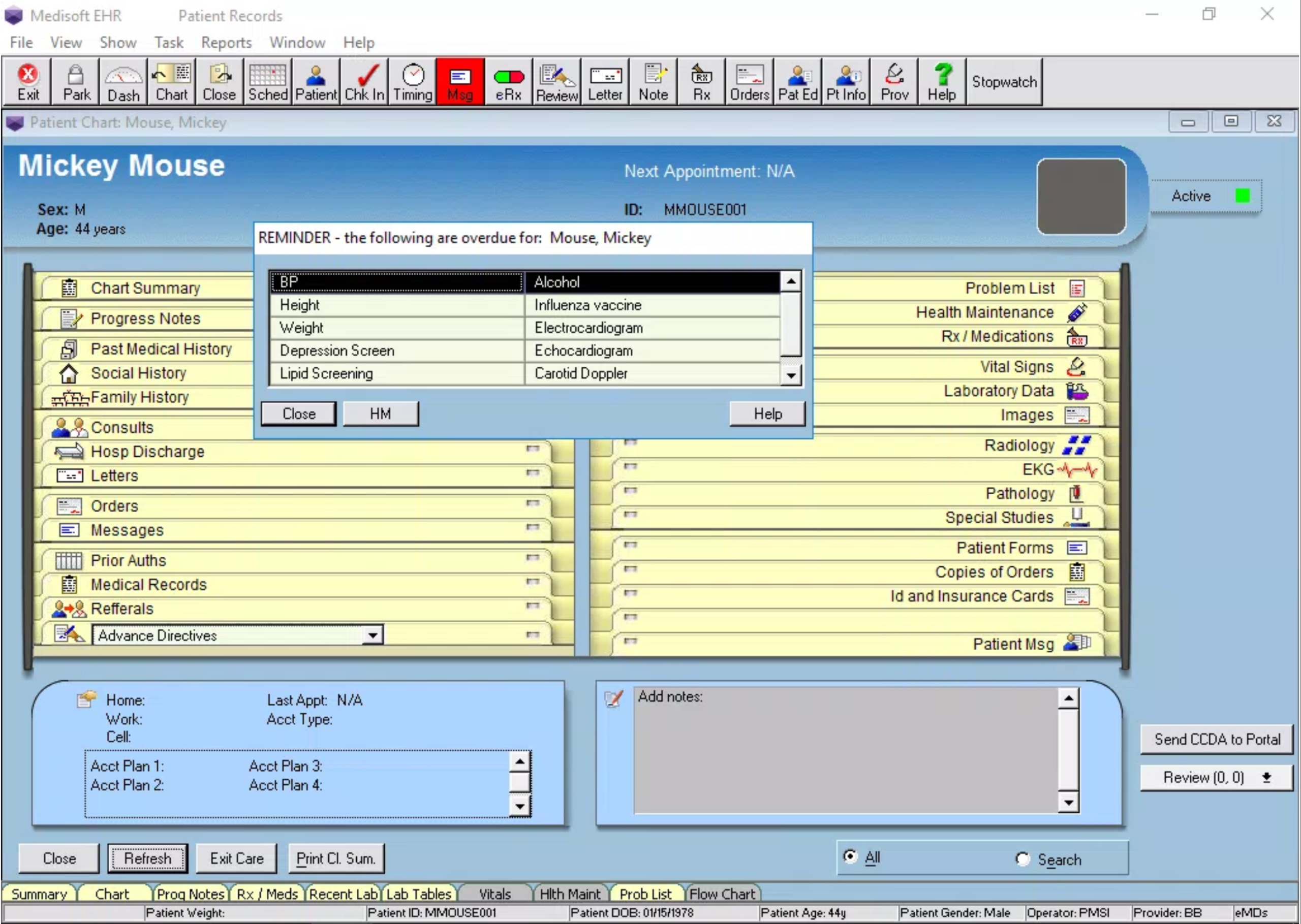
Medisoft Clinical EHR Screenshot – Patient Chart
With Medisoft Clinical, you get to keep your Medisoft medical billing software. This means no double entry. When you enter patient information into the billing portion of your software, it automatically creates or updates the patient chart in the EHR portion of the software. Keep everything you love about Medisoft practice management like:
- Appointment Scheduling
- Patient Accounting
- Electronic Claims and ERA
- Eligibility Verification
- Advanced Reporting
- Check out the latest features of Medisoft!
Medisoft Clinical EHR Screenshot – Provider Dashboard
MEDISOFT EHR questions
Is MEDISOFT billing software the same as an EHR?
Practice management covers tasks such as scheduling, patient accounting, and billing. An EHR adds clinical documentation. Confirm the EHR, interfaces, licensing, and deployment included in your proposed system.
Can we keep MEDISOFT while reviewing EHR options?
Bring your current MEDISOFT version and workflow requirements to a demo. We can help assess suitable EHR options and the compatibility, interfaces, and migration work needed.
Can Microwize help existing Clinical users?
Contact MEDISOFT support with your version and questions. We will review the issue and explain appropriate support or transition options.